
Ordina
Every drive. One search.
Your files are on six drives. You know a file exists. You spend five minutes finding it. Ordina builds a local index of every drive you connect and searches them all simultaneously — in under a second.
Not yet available.
Spotlight stops at your front door.
macOS Spotlight doesn't index external drives, network shares, or cloud storage. Finder search is slow and incomplete. If a file isn't on your internal drive, finding it means opening each drive, one at a time, and hoping.
Ordina indexes every drive you add and returns results across all of them from a single search box. Sub-second search, sorted by relevance, name, size, date, or source drive.
Add any drive. Search all of them.
Ordina is free for one local drive. Pro unlocks every other drive type.
| Drive type | Examples | Free | Pro |
|---|---|---|---|
| Internal | Your Mac's built-in SSD | ✓ | ✓ |
| External | USB drives, Thunderbolt SSDs, SD cards | — | ✓ |
| Network | SMB shares, NAS devices, AFP servers | — | ✓ |
| Cloud | Google Drive, OneDrive, Dropbox, iCloud Drive | — | ✓ |
| Remote via Agent | Any Mac or NAS on your local network | — | ✓ |
Index a NAS or another Mac — no cable required.
For drives that can't be physically connected, the Ordina Agent is a lightweight command-line tool that runs on the remote machine. It scans the drive, builds an index, and announces itself on your local network. Ordina on your Mac discovers it automatically.
Works with any Mac, including headless servers and NAS devices. No cloud. No VPN. Just your local network.
# Run on the remote machine:
ordina-agent /Volumes/MyNAS Search any way you think.
Natural language
Type "large video files from last month" — Ordina converts it to a structured filter automatically. On-device, no cloud.
Saved filters
Build a filter from file type, size, date, and tags. Name it, give it an icon. One click from the sidebar runs it across every drive.
Tags and notes
Apply your own labels to any file or folder. Add free-text notes. Filter results by one or more tags. Your files aren't modified.
Duplicate finder
Find exact duplicate files across every indexed drive using SHA-256 content hashing. Open in Finder, delete what you don't need.
See exactly what's using space.
The Storage Analysis view shows the largest files and folders on any drive. Toggle hidden files to surface what macOS keeps out of sight. Click any item to open in Finder and decide what to do with it.
Ordina never deletes anything automatically. You see, you decide, you act.
See it in action
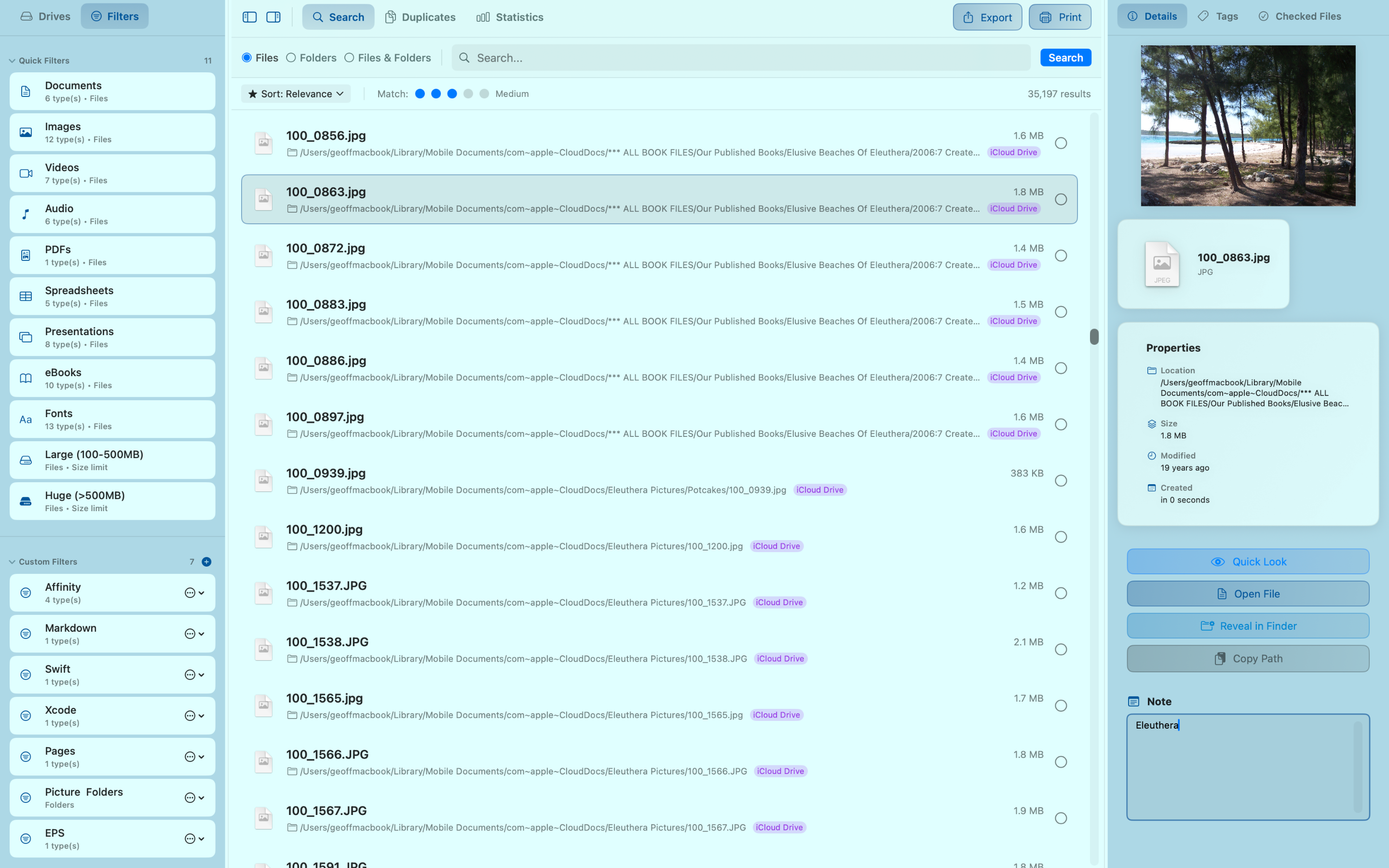
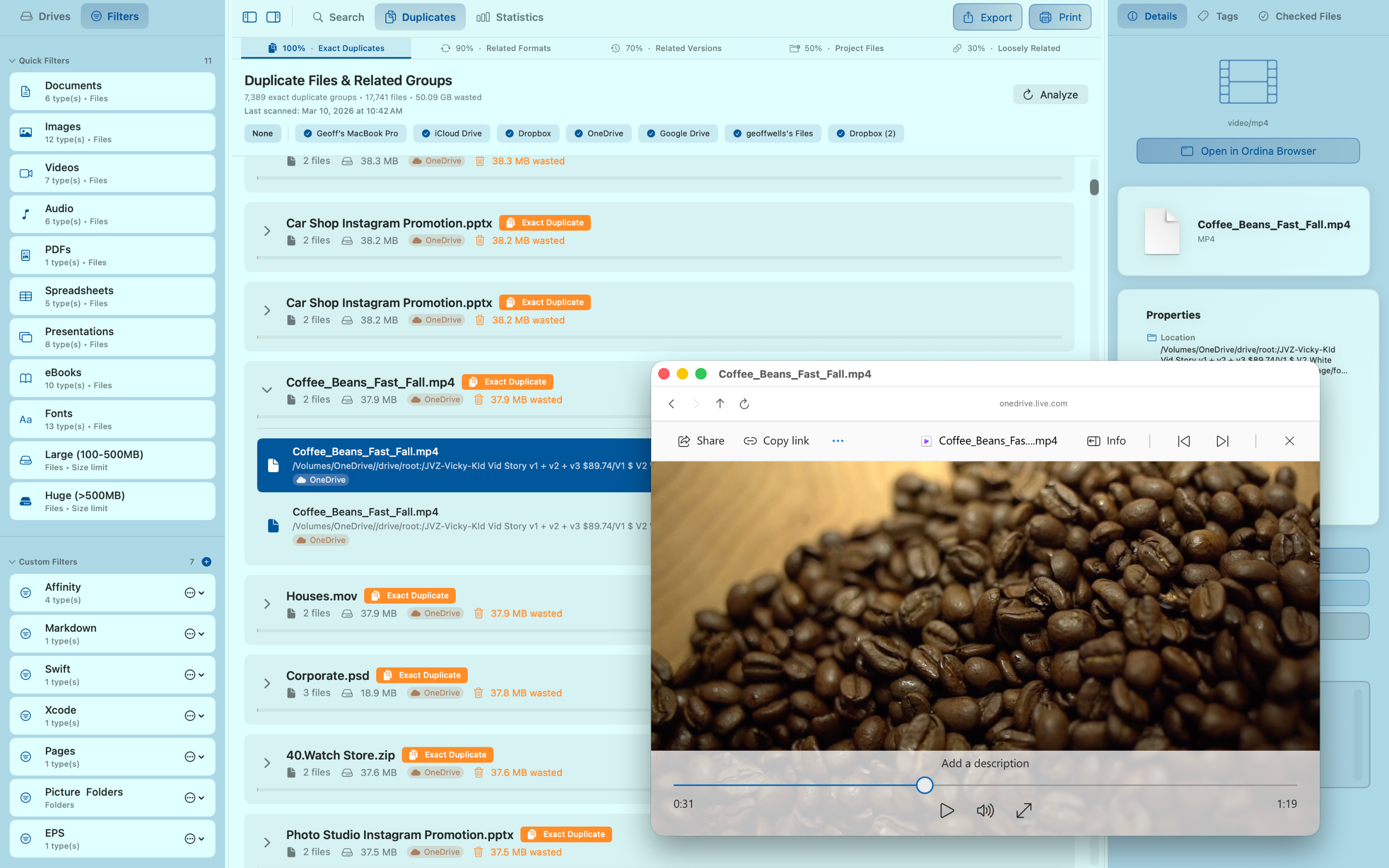
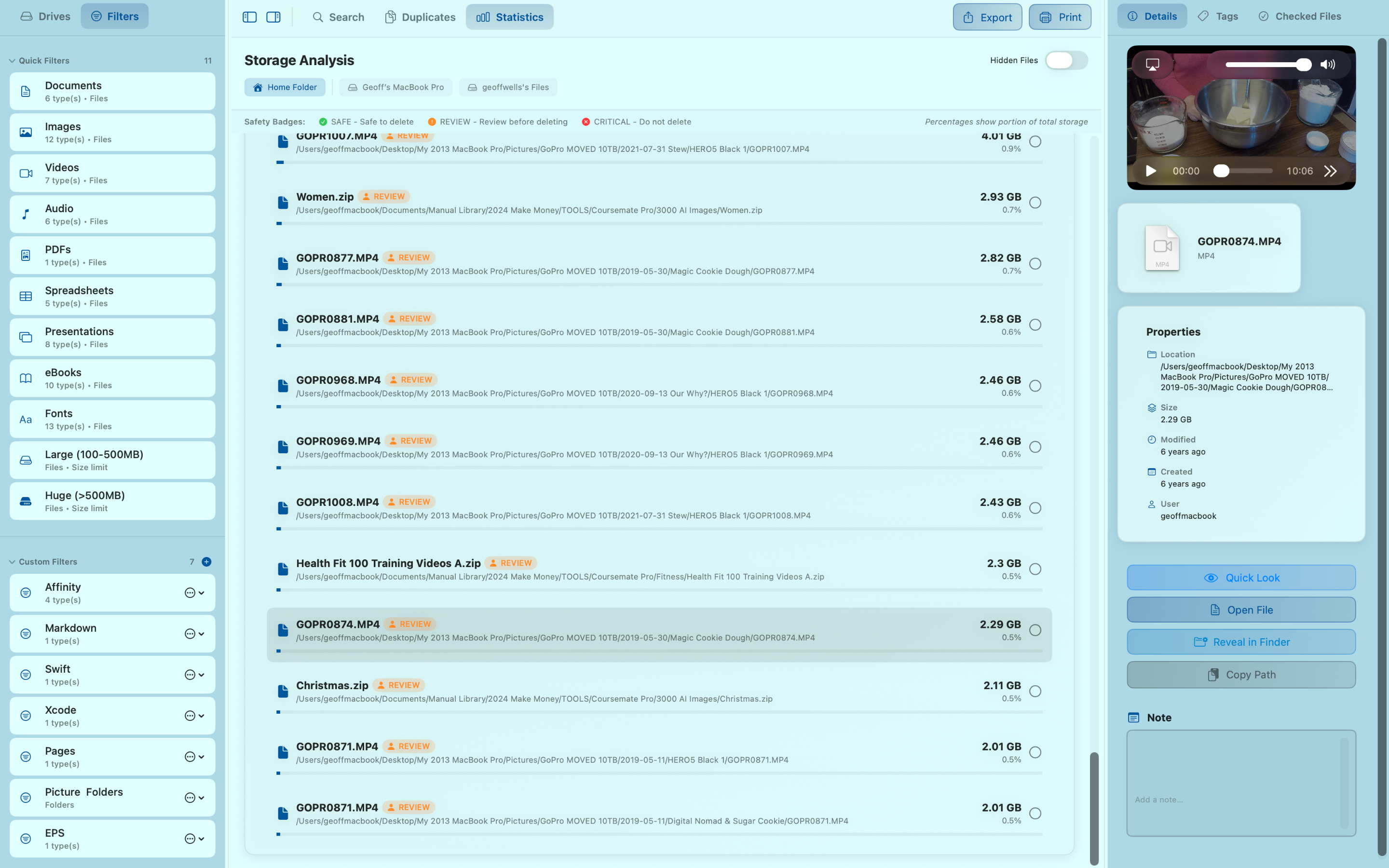
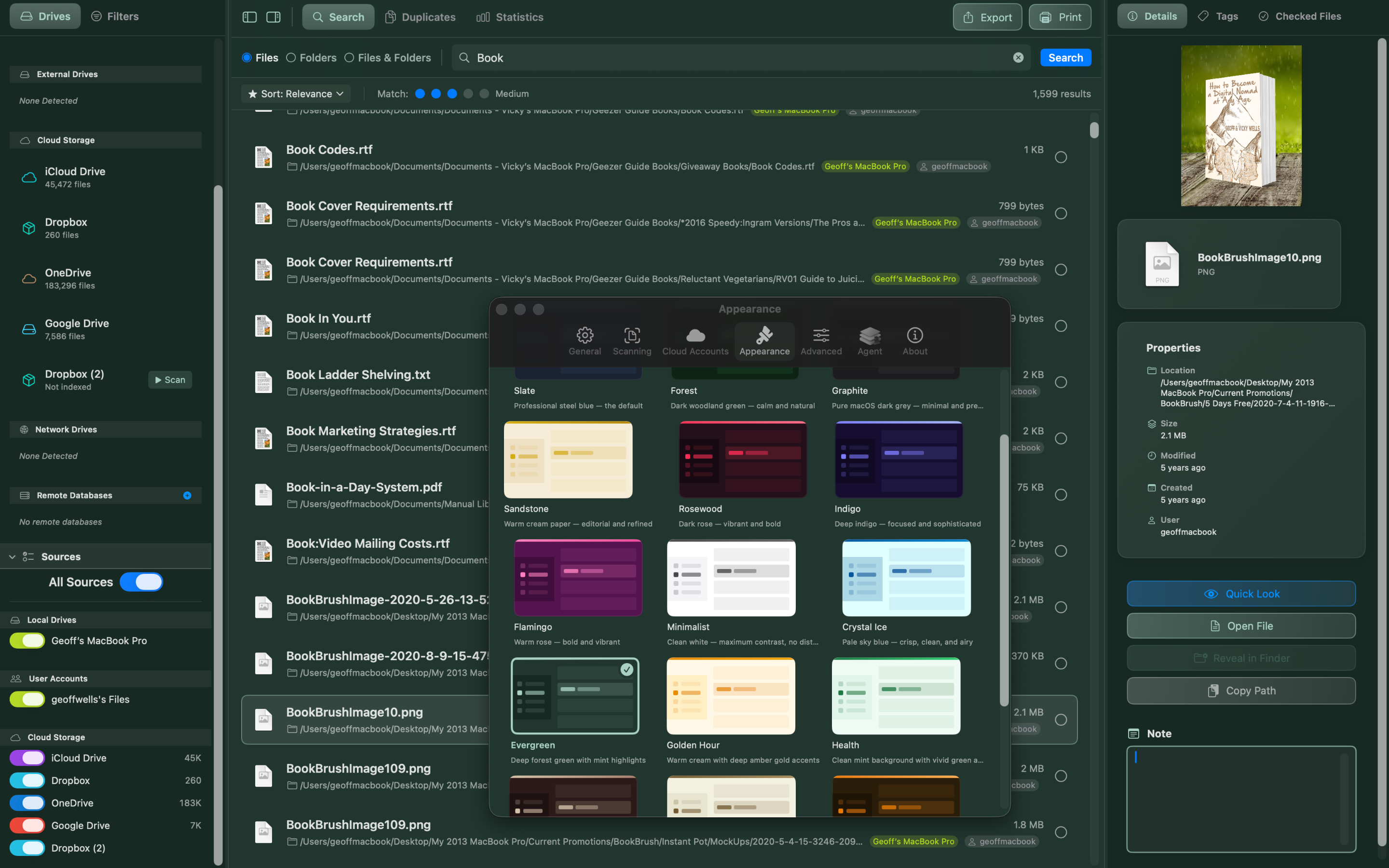
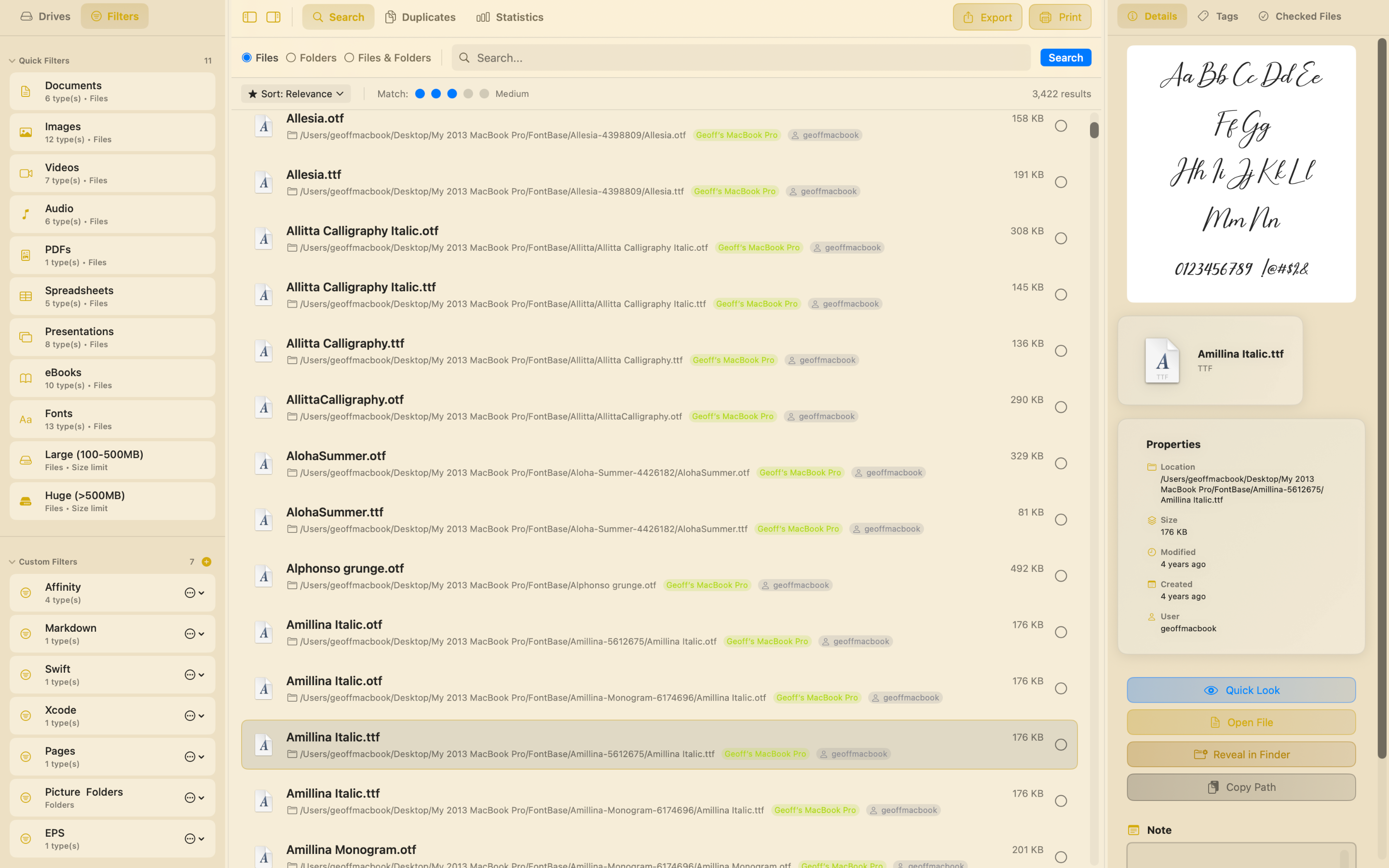
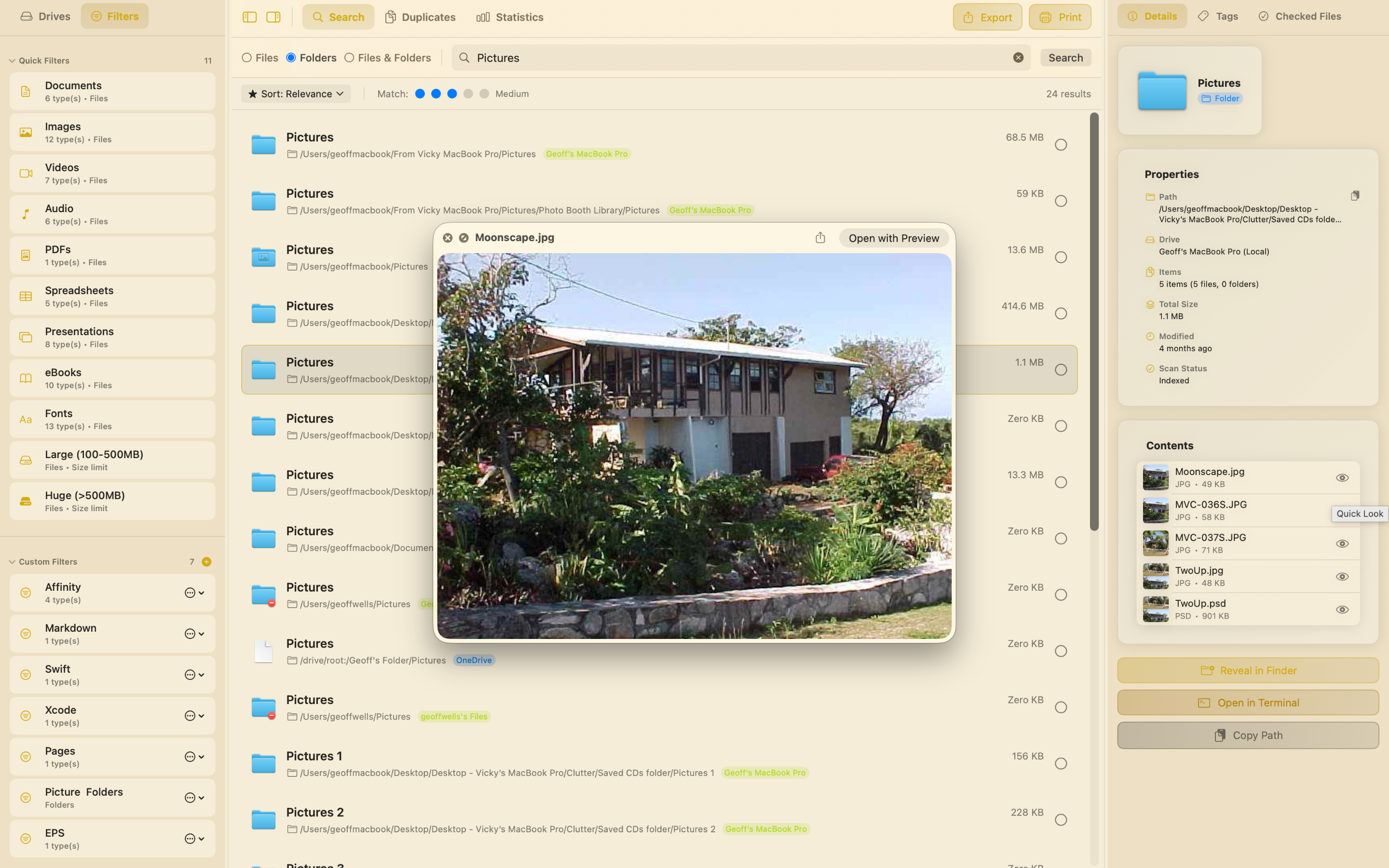
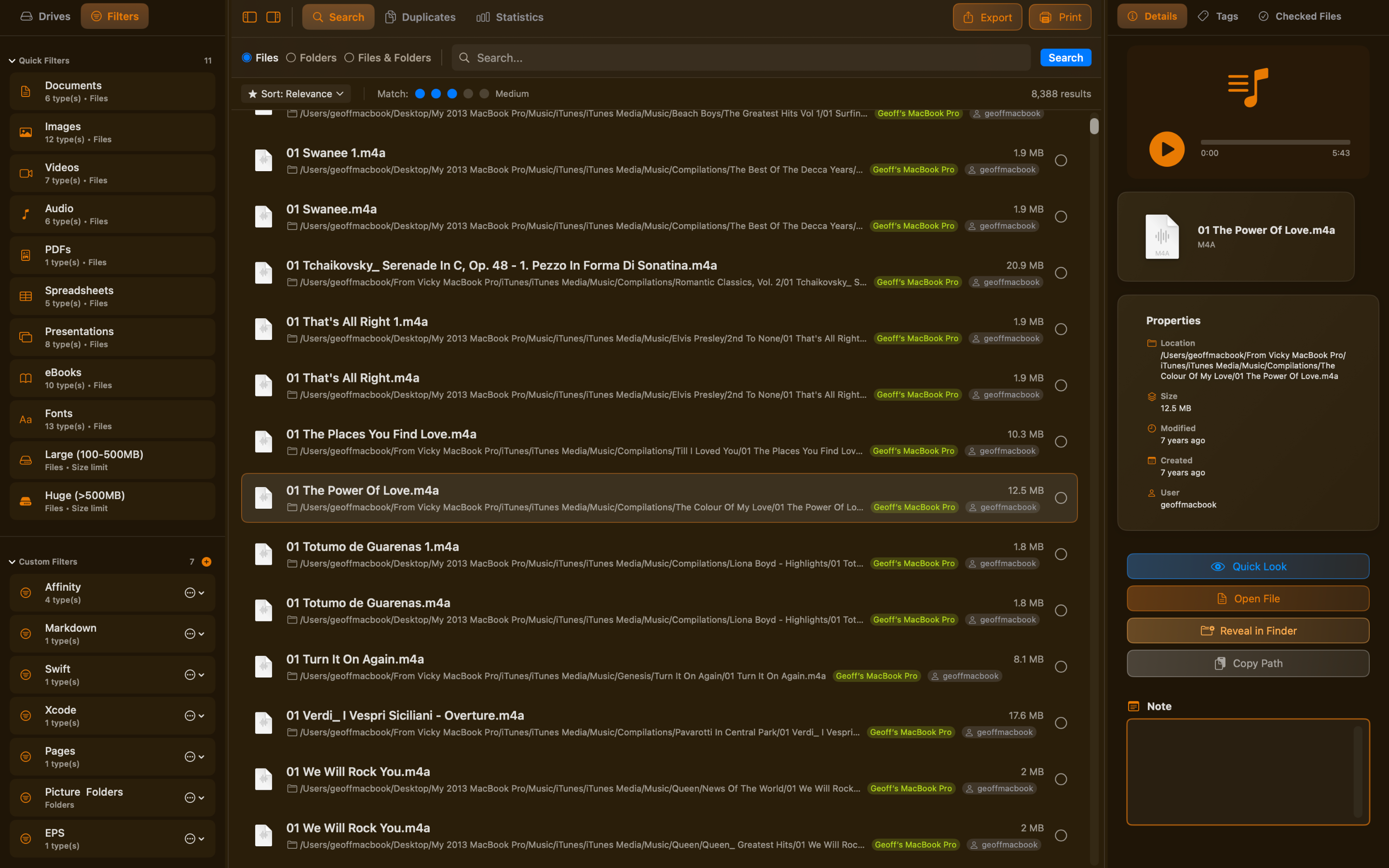
Search every connected drive in under a second — sorted by relevance, name, size, or date.
Your files stay on your Mac.
Ordina stores all index data locally in Application Support. There is no Ordina server. There is no account. Cloud drive credentials are stored only in your macOS Keychain. The natural language filter runs on-device.
The only outbound network activity: OAuth flows for cloud providers (in-app, credentials stored in Keychain) and Bonjour for Agent discovery (LAN only, no internet).
Simple, honest pricing.
Free
- Index and search your internal drive
- Full search: sort, filter, file types
- Tags and file notes
- Saved custom filters
- Natural language filter assistant
- Duplicate detection
- Storage analysis
Ordina Pro
- External drives (USB, Thunderbolt)
- Network drives (SMB, AFP, NFS)
- Cloud drives (Google Drive, OneDrive, Dropbox, iCloud)
- Ordina Agent for remote drives
- Unlimited drives
- Buy once · yours forever
Frequently asked questions
How is Ordina different from Spotlight?
Spotlight only indexes your internal drive. Ordina indexes every drive you add — external drives, network shares, cloud storage, and remote machines via the Ordina Agent — and searches them all simultaneously from a single interface. It also goes further with duplicate detection, storage analysis, saved filters, and file tagging.
Does Ordina need to be running to search?
Yes — Ordina maintains a local index built when you add a drive. Search is instant because you're querying that index rather than scanning the drive in real time. The index does not track changes automatically; simply hit Reindex any time you want to pick up new or moved files.
How long does the initial index take?
It depends on drive size and speed. A typical 500 GB internal SSD with around 200,000 files takes a few minutes. External and network drives vary with connection speed. You can search immediately — results appear as indexing progresses.
What happens if I disconnect a drive?
The index for that drive is retained. You can still search and browse its contents — files just can't be opened until the drive is reconnected. Ordina clearly marks offline drives so you always know what you're looking at.
Which cloud services does Ordina support?
Google Drive, OneDrive, Dropbox, and iCloud Drive. Ordina indexes the cloud provider's local sync folder, so results appear whether files are downloaded locally or stored only in the cloud.
Does Ordina send my files or file names anywhere?
No. All index data is stored locally on your Mac in Application Support. The natural language filter runs entirely on-device. The only outbound network activity is OAuth for cloud provider sign-in (credentials stored in your Keychain) and Bonjour for Agent discovery on your local network.
Can I use Ordina on more than one Mac?
A Pro license is per-user and covers all Macs you personally own. The Ordina Agent can be installed on any Mac or headless server so you can search its drives from your main machine.
Is there a subscription?
No. Ordina Pro is a one-time purchase of $79.99 — yours to keep, including all future updates to the current major version. No renewal fees, no account required.